
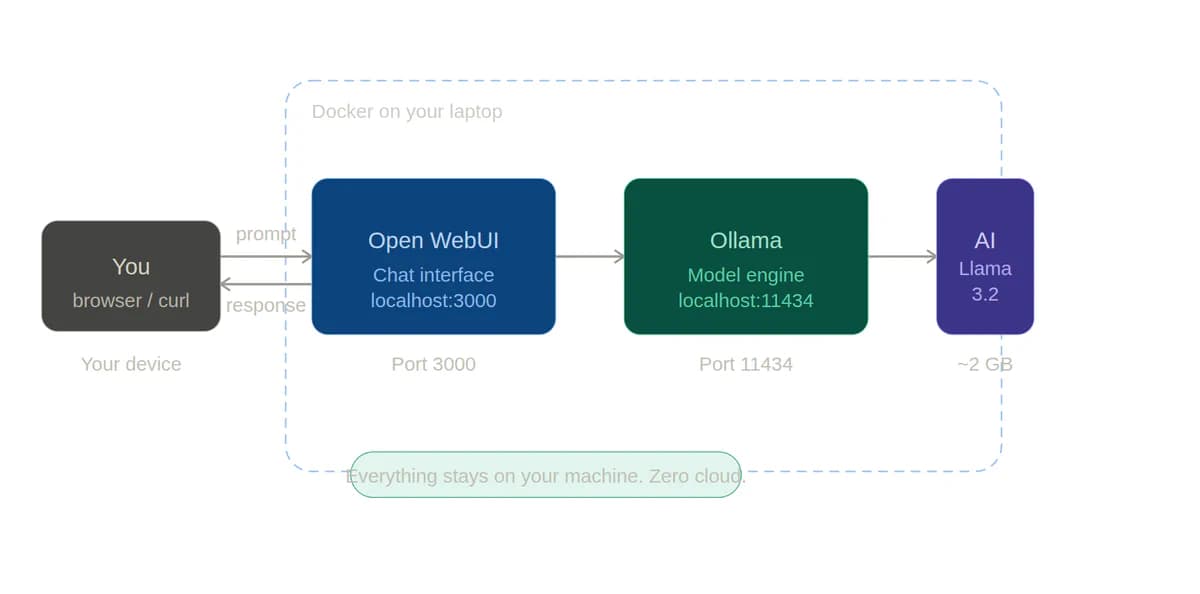
Your Own AI on Your Laptop — And How to Do It in 10 Minutes
A practical, beginner-friendly guide to running a local Large Language Model with Ollama and Docker — no cloud, no API bills, no data leaving your machine.
You have probably used ChatGPT, Claude, or Gemini — and they are genuinely impressive. But every time you paste a private document into them, you are sending your data to a company's server. Every message costs money at scale. And when the API goes down or the pricing changes, your workflow breaks.
What if you could run a powerful AI model completely on your own machine? No internet required. No subscription. No data leaving your laptop. That is exactly what running a local LLM means — and it is far more accessible than you might think.
"Running AI locally is not just for researchers and engineers. In 2026, a student with a decent laptop can run a 7-billion-parameter language model in minutes."
So what is a local LLM, exactly?
LLM stands for Large Language Model — the technology that powers AI chatbots. Models like GPT-4 or Claude run on enormous data centers owned by tech companies. A local LLM is the same concept, but the model files are downloaded to your own computer and run entirely using your own hardware.
Think of it like the difference between streaming a movie on Netflix versus having the DVD at home. Streaming is convenient, but you depend on Netflix's servers, their pricing, and their availability. The DVD is yours to watch anytime, even offline.
Why would you want to do this?
1. Zero API costs
No per-token billing. No monthly subscriptions. Once you download the model, you can run thousands of queries for free. If you are a developer or student calling an AI API frequently, costs add up fast. OpenAI's GPT-4o charges per million tokens — and complex applications can burn through those quickly. Running Llama 3.2 (Meta's open-source model, which is remarkably capable) locally costs exactly zero dollars per query. Your only cost is electricity.
2. Complete privacy
Your prompts and documents never leave your machine. Lawyers, doctors, journalists, and researchers often deal with sensitive information that they cannot legally or ethically share with third-party services. Running a model locally means your documents, queries, and outputs stay entirely within your control. Nothing is logged on a remote server.
3. Works completely offline
No internet? No problem. Your model keeps running wherever you are — on a plane, in a remote area, or in a secure environment where internet access is restricted. Once the model is downloaded, it runs fully on your hardware.
4. Irreplaceable hands-on learning
There is something uniquely educational about pulling a model, watching it load into memory, and querying it directly via an API endpoint you are hosting yourself. You start to understand what "context window" means, why model size affects speed, and how prompting works at a lower level. This hands-on understanding is something you simply cannot get from using a chatbot interface.
Loading comments...
Related Stories
Explore More Topics
No topics available at the moment