

So You Want to Get Into Software Engineering
Alright, let's get some things right. I've seen a growing interest in a lot of people who want to get into software engineering. This post is for you. Before you scroll, even if you're just getting started and are trying to connect one or two dots, stick around — this might help.
Before we go any further, let me introduce you to a tool called Blender. It's a 3D software that lets you create pretty much everything 3D. Think animation (like Cars, Hotel Transylvania, Puss in Boots, etc), things like architecture, computer-aided design, and more. Blender is open source and has this feature where you can extend its functionality by writing some code.
That is where my interest in software engineering came from. We'll get back to this story in another article.
What Even Is a Software?
Let's start with what you already know: a website, a mobile app, or a desktop program like Microsoft Word or Excel. What exactly is "a software"? Weird as it might sound, a software is just a bunch of files and folders packaged into what we call an executable.
Let's look at an example. Go to any website, download the page. Now go to the folder, and open whatever ends in .html. Now switch off your internet. See — you've still been able to open it, because inside, it's just a bunch of files and folders. Same principle applies everywhere.
You're reading this post either on the Stori App or on the Soma Stories website. If you're on Stori App, let me show you what Stori App actually looks like on the inside;
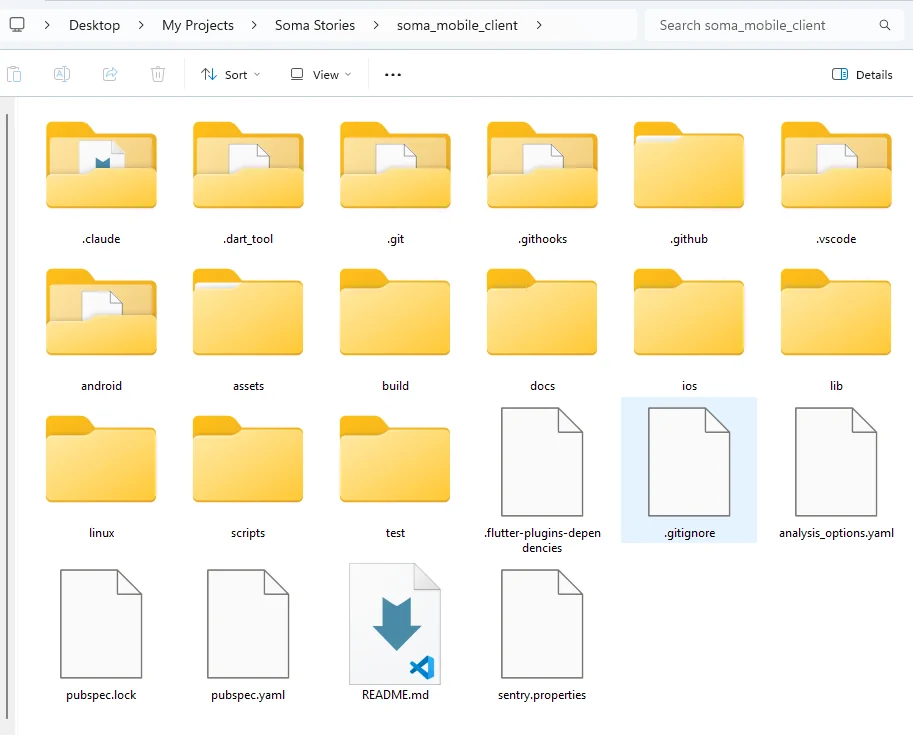
See — it's just a bunch of folders and files. But on your phone, it exists as an app. More specifically, a .apk file that you download and install.
Files, Folders, and Instructions
So that brings us to our next topic: what are all those files and folders? When you visit a website, you'll see things like an image, a button, some text, links, forms — all of these live inside those files and folders. The files contain instructions that tell the computer what to display, where to display it, and what should happen when a user clicks on a button.
These instructions are written in a somewhat weird format. If you open one file, you might see something like get.token_balance(). It looks like English, but with weird symbols. This is called syntax, and when you mix English with special syntax, we call it a programming language.
There are different mixes of English and syntax, and each mix has a different name — hence, different programming languages. When you visit Soma Stories and check your profile, you may see your token balance. Under the hood, this is roughly the instruction responsible for making that happen:
get.user(filter: db)
get.token_balance(user_id)
Now, now — that looks scary, but stay with me. Try reading it word by word and see if you can figure out what it means. Programming is actually easier than it looks.
Let me bring your attention to this line: get.user(filter: db). Clearly, this line means we're getting something, possibly the user, from something called db. A db is basically a database. Yeah, that's how us cool guys say "database" — db.
The Whole Point of Software Engineering
This brings us to a very interesting idea. The whole business of software engineering can be broken down into three things: storing data, manipulating data, and presenting data.
Think about it with any software you use. Take your banking app — all it does is store your data (your personal info and how much money you have), let you make a transaction (manipulate data), and then show you the result (present data).
Here's how this might look in a programming language. We'll use JavaScript for this example:
// 1. Storing data
let user = {
  name: "Amina",
  tokenBalance: 500
};
// 2. Manipulating data
function addTokens(user, amount) {
  user.tokenBalance += amount;
  return user;
}
user = addTokens(user, 100);
// 3. Presenting data
console.log(`${user.name}, your token balance is ${user.tokenBalance}`);
Go to the site: https://www.sololearn.com/en/compiler-playground/javascript amd paste the copy paste teh sample code above into the 'JS' section and hit run at the bottom.
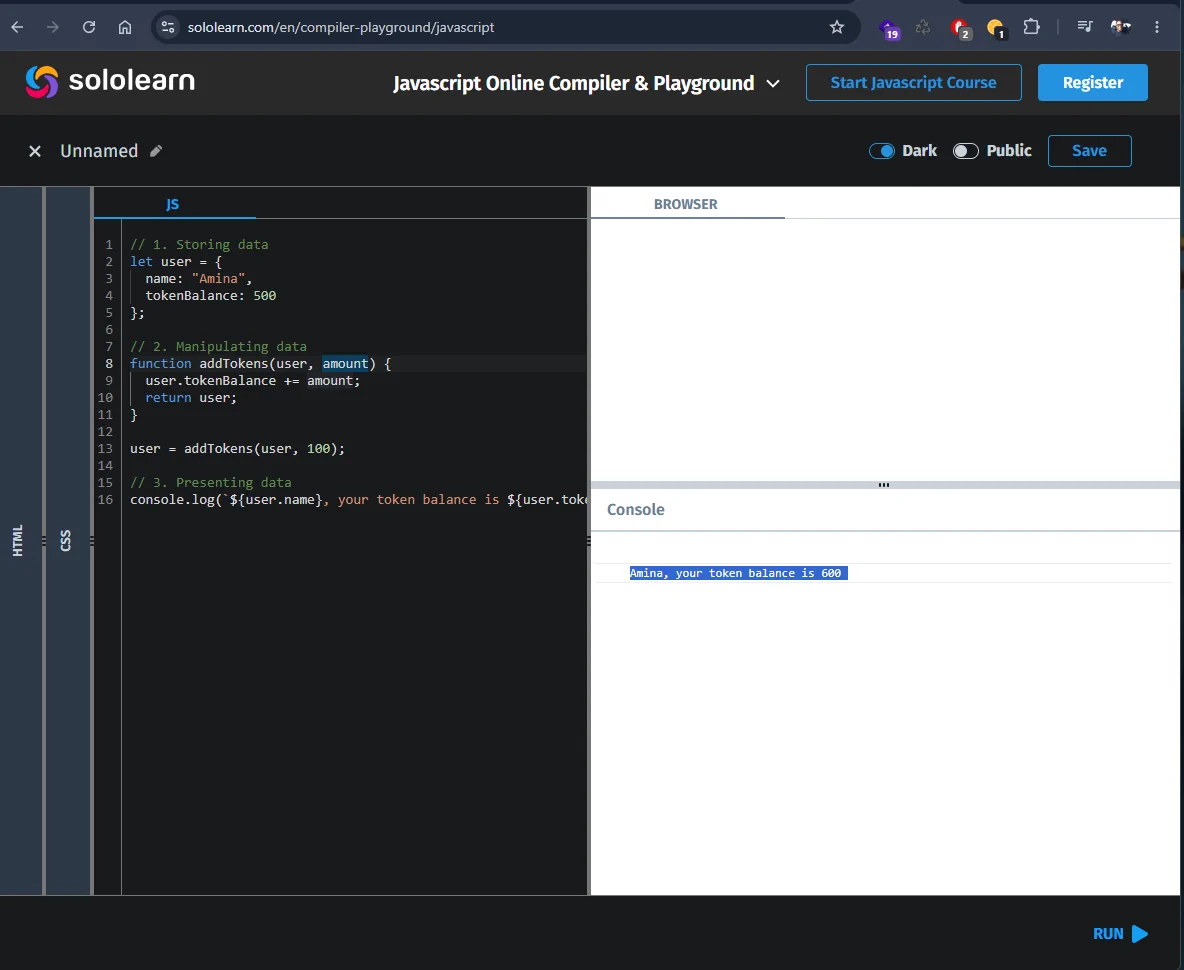
Run that, and it prints: Amina, your token balance is 600. See? Pretty easy — store it, change it, show it. Now replace the text "Amina" with your name. Run it again.
But this looks very simple, and surely a system like Safaricom, handling millions of transactions a minute, can't be this simple. And yes, you're right. What we just did is the same idea, just at a scale of one user instead of millions, with a lot more rules, checks, and safety nets layered on top....
Loading comments...
Related Stories
Explore More Topics
No topics available at the moment